It Started With One Smart Plug
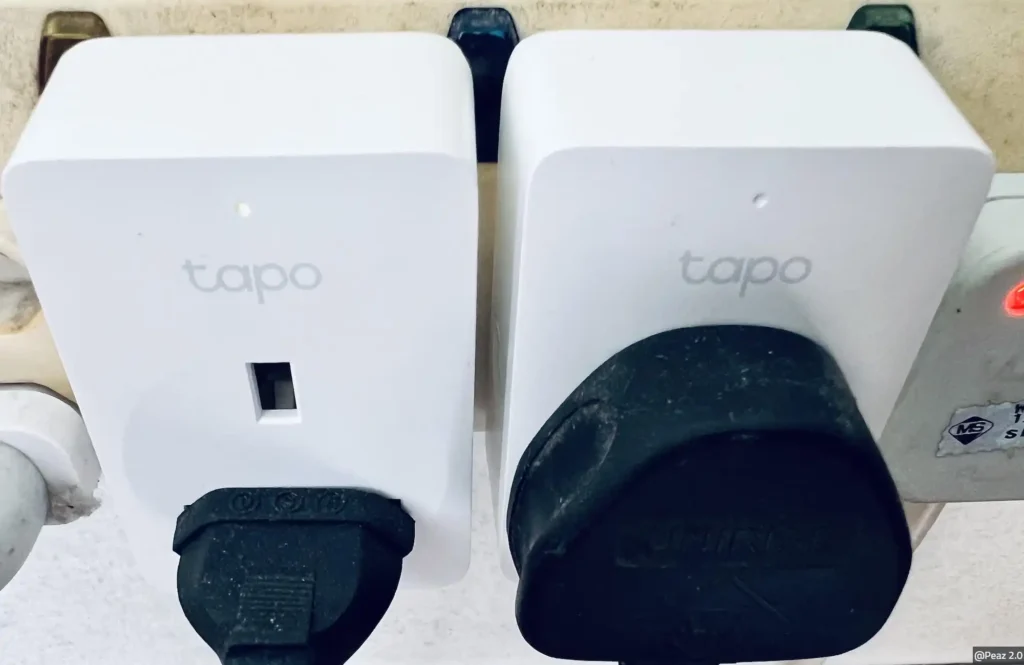
I didn’t go in with a grand plan. I bought one Tapo smart plug — the kind you just push into a regular wall socket — because I wanted to stop leaving my coffee machine on all day.
Setup took maybe ten minutes. Download the Tapo app, plug it in, connect it to Wi-Fi, done. I set a schedule so it cuts off at 10am automatically, and I haven’t thought about it since.
That’s the thing about TP-Link’s Tapo range that I wasn’t expecting — there’s nothing to figure out. The app is straightforward, the devices connect first time, and once they’re running they just quietly do their job. No tinkering required.
After the coffee machine plug, I got one for the lamp in the living room. Then one for the fan in the bedroom. At some point I looked around and realised I had a smart home without ever really intending to build one.
Then I Fixed the Wi-Fi Problem I'd Been Ignoring
While I was at it, I finally dealt with something that had been quietly annoying me for months — the Wi-Fi in my place was fine in the main room and basically nonexistent in the bedroom and kitchen.
I’d been living with it because the router was provided by my internet service provider and I assumed I’d need to do something complicated to replace it. Turns out you don’t replace it, you just add to it.
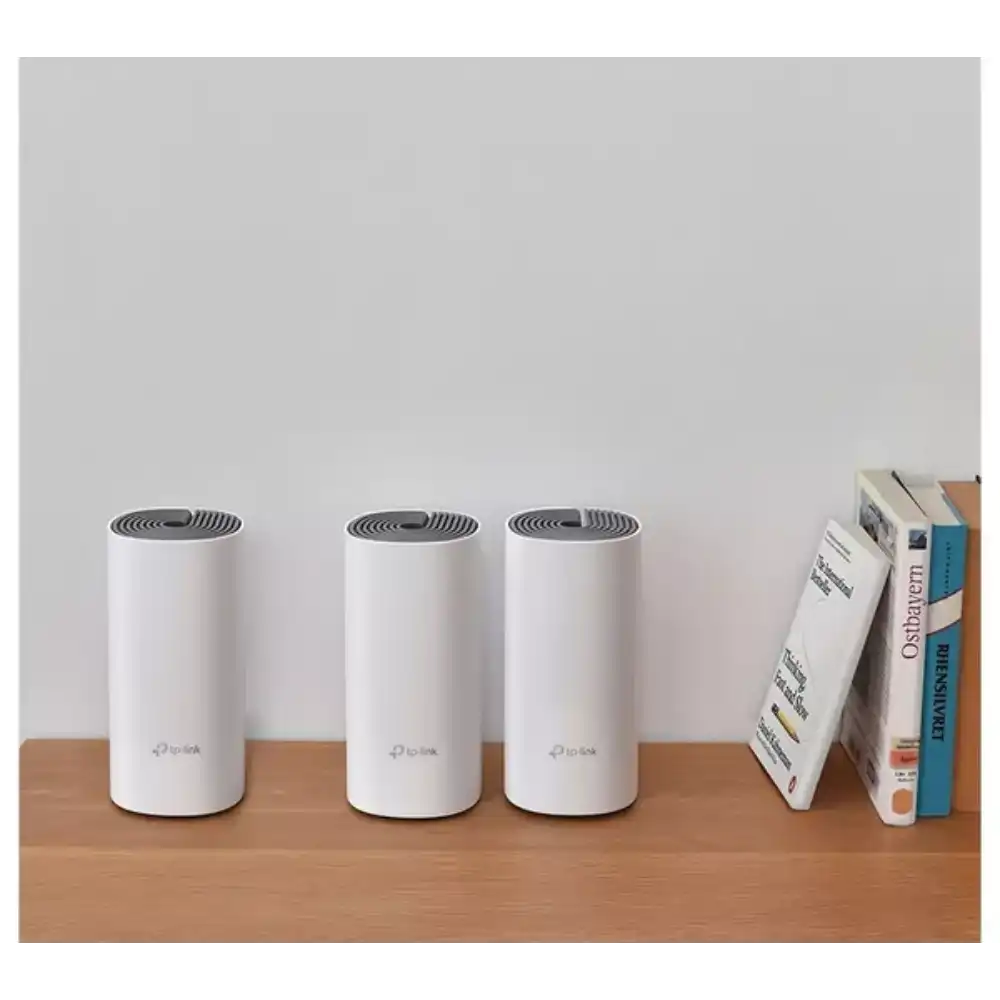
I got a TP-Link Deco unit — one of their Mesh Wi-Fi nodes — and plugged it in at the far end of the flat. It connected to the main router, extended the network seamlessly, and my phone stopped dropping signal the moment I walked away from the living room. The whole network still has the same name, same password. Nothing else changed.
Setup was the same story as the Tapo plug: app, plug it in, follow the steps, done. Fifteen minutes, maybe. I’d put it off for months for no good reason.
What It Actually Feels Like to Use Day to Day
I want to be honest about this because a lot of smart home content makes it sound more transformative than it is.
My flat is not some futuristic automated space. The lights don’t change colour based on my mood. I don’t have a morning routine that opens the blinds and starts the coffee. That all sounded fiddly to set up and I couldn’t be bothered.
What I do have is this: I never leave the house with the fan still running. My lamp turns on at sunset and off at 11pm without me touching anything. The Wi-Fi works everywhere. When I’m in bed and realise I left the living room light on, I turn it off from my phone in about three seconds.
Small things. But the kind of small things that, once they’re sorted, you stop noticing — which is exactly how it should be.
Why TP-Link Specifically
Honestly, because my friend recommended it and it worked out. But now that I’ve used it for a while, I understand why it keeps coming up.
The price point is reasonable — smart plugs especially are cheap enough that buying a few to try doesn’t feel like a big commitment. The app is genuinely well designed without being overwhelming. And crucially, nothing requires a hub or a bridge or a subscription to work properly.
It all connects to Alexa and Google Home if you use either of those, which I do occasionally, but it works just as well through the app alone. I haven’t had a single device drop off the network or need resetting. For something that’s supposed to run quietly in the background, that reliability matters more than any feature list.
If you’re in Italy, the whole range is available on Amazon.it — EU versions, right plug type, covered by the standard two-year warranty.
If You've Been Putting It Off Like I Was
Start with one smart plug. Seriously, just one. Pick something you’d genuinely find useful — a lamp, a fan, a coffee machine — and try it for a week. If it annoys you or doesn’t work the way you expected, you’ve spent very little and you’ll know smart home stuff isn’t for you.
If it works the way it did for me, you’ll quietly end up buying a few more. And at some point you’ll realise your home just runs a bit more smoothly than it used to, without you having to think about it.
That’s the whole point, really.
A Few Things People Usually Ask
Do I need any technical knowledge to set up TP-Link devices?
Not really. If you can connect a phone to Wi-Fi and download an app, you can set up a Tapo smart plug or a Deco node. The app walks you through each step and most devices are up and running in under fifteen minutes.
Do I need a smart speaker or voice assistant for any of this to work?
No. Everything works through the Tapo or Deco app on your phone without needing Alexa or Google Home at all. If you do use a voice assistant, you can connect it — but it’s optional, not required.
Will TP-Link devices bought on Amazon Italy work with Italian sockets?
Yes. Products on Amazon.it are EU versions and come with the correct plug type for Italian sockets. The Tapo smart plugs are designed for the Type F sockets standard across Italy and most of Europe.
Is there a monthly fee for any of the Tapo or Deco features?
Basic features — scheduling, remote control, app access — are all free with no subscription needed. Some advanced features like extended cloud storage for camera footage have optional paid tiers, but for most people the free version covers everything they need.